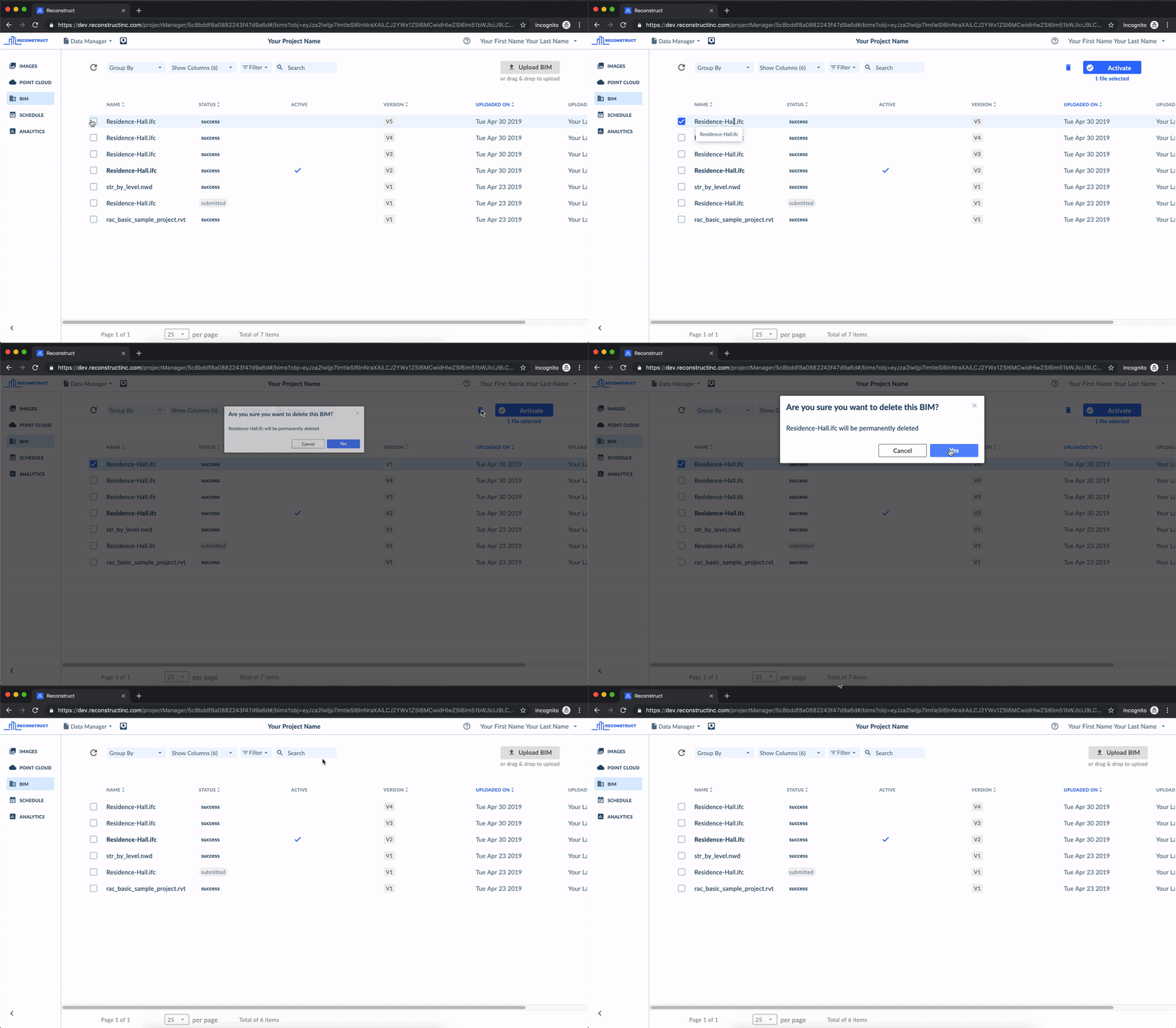
You can delete BIM models from you project by accessing the BIM tab in the Data Manager, selecting a BIM model, and clicking on the "Delete" button on the top right-hand side of the screen.
For complete access to our full library of articles, please sign in with your Reconstruct account.

You can delete BIM models from you project by accessing the BIM tab in the Data Manager, selecting a BIM model, and clicking on the "Delete" button on the top right-hand side of the screen.
Comments
0 comments
Article is closed for comments.